How Teams Use git-hub: A Practical Guide to Collaboration and Code Reviews
Introduction
Git-hub collaboration has become the default collaboration layer for modern software development. Teams use it to manage code changes, review each other’s work, track tasks, and coordinate releases across time zones and organizations. In practice, GitHub is less a website than a workflow: a set of shared habits that shape how teams communicate, make decisions, and take responsibility for code.
In the first hundred words, the core answer is simple. Teams use GitHub by working in branches, proposing changes through pull requests, reviewing those changes before they are merged, and linking code to issues and projects that represent real work. This structure allows many people to work on the same codebase without overwriting each other, while preserving a clear history of who changed what and why.
Beyond mechanics, GitHub reflects a cultural shift in how software is built. Decisions that once happened in private now happen in public threads. Junior engineers learn by reading reviews. Senior engineers scale their influence by setting standards and automating checks. Managers gain visibility without micromanaging. When used well, GitHub becomes a living record of collaboration rather than just a repository of files.
This article explains, in practical terms, how teams actually use GitHub day to day. It walks through collaboration models, pull requests, code reviews, coordination tools, automation, and the habits that separate healthy repositories from chaotic ones. The goal is not to teach Git commands, but to explain how teams work together once GitHub becomes the center of their development universe.
The GitHub Collaboration Model
At the heart of GitHub collaboration is the shared repository. A repository contains the code, its full change history, and the surrounding context: issues, discussions, pull requests, and documentation. Every team member interacts with the same source of truth, even when working independently.
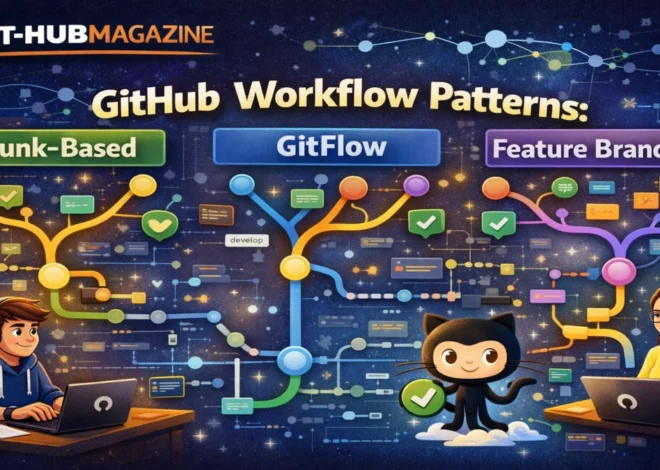
Most teams follow a branching model. The main branch represents stable, production-ready code. Developers create separate branches for features, fixes, or experiments. This allows work to proceed in parallel without disrupting others. When a piece of work is ready, it is proposed back to the main branch through a pull request.
This model scales from two people to thousands. Because Git is distributed, every contributor has a complete copy of the project history. GitHub adds coordination on top of that distribution: visibility into active work, rules around merging, and a shared space for discussion.
Protected branches are a key part of this model. Teams can require reviews, passing tests, or specific approvals before code is merged. These guardrails prevent accidental changes and make expectations explicit, especially in larger or regulated organizations.
Pull Requests as the Center of Team Workflow
Pull requests are where collaboration becomes concrete. A pull request is not just a request to merge code; it is a structured conversation about change. It explains what the change does, why it exists, and how it fits into the broader system.
Well-run teams treat pull requests as first-class work artifacts. A clear title and description provide context. Links to related issues explain motivation. Commits are organized so reviewers can follow the logic of the change.
Reviewers comment directly on lines of code, ask questions, and suggest alternatives. The author responds, revises, and documents decisions. By the time a pull request is merged, the team has a shared understanding of the change and its implications.
Small pull requests are easier to review and merge. Many teams enforce informal or formal limits on size, preferring incremental changes over large, risky ones. This reduces cognitive load and speeds up feedback cycles.
| Pull Request Stage | What Happens | Who Is Involved |
|---|---|---|
| Branch creation | Work begins in an isolated branch | Developer |
| Commits and push | Changes are saved and shared | Developer |
| Pull request opened | Context and intent are documented | Developer |
| Review and discussion | Feedback, questions, approvals | Team reviewers |
| Merge | Code becomes part of main branch | Maintainer |
Code Reviews as a Learning System
Code reviews are often described as a quality gate, but their deeper value is educational. Every review is an opportunity to share knowledge, reinforce standards, and surface assumptions that might otherwise remain hidden.
Effective reviews focus on clarity and correctness rather than personal preference. Reviewers explain why something matters, not just that it should change. Authors learn not only what to fix, but how to think about similar problems in the future.
GitHub’s review tools support this process. Inline comments keep feedback specific. Suggested changes allow reviewers to propose exact edits. Approval states make it clear when code is ready to merge or still needs work.
Over time, reviews create a written record of architectural decisions and trade-offs. New team members can read past pull requests to understand why the system looks the way it does. This institutional memory is one of GitHub’s most underappreciated benefits.
Experienced engineering leaders often note that respectful, consistent reviews correlate strongly with team health. When feedback is timely and constructive, trust grows. When reviews are rushed or hostile, collaboration breaks down.
Issues, Projects, and Shared Context
Code does not exist in isolation. GitHub issues provide a structured way to capture bugs, feature requests, and technical debt. Each issue becomes a place for discussion, clarification, and prioritization before code is written.
Teams label issues to indicate type, urgency, or ownership. Assignments make responsibility explicit. Milestones group issues into releases or goals. This turns a long list of tasks into an understandable roadmap.
Project boards add a visual layer. Columns such as “To do,” “In progress,” and “Done” help teams see the state of work at a glance. Unlike external tools, these boards live next to the code, reducing context switching.
The tight link between issues and pull requests is crucial. When a pull request closes an issue, the reasoning and implementation are permanently connected. Anyone can trace a feature from idea to deployment.
| GitHub Feature | Primary Purpose | Team Benefit |
|---|---|---|
| Issues | Track work and discussion | Clear ownership and priorities |
| Labels | Categorize and filter | Faster triage |
| Projects | Visualize workflow | Shared situational awareness |
| Linked PRs | Connect code to intent | Traceability |
Automation and Continuous Integration
As teams grow, manual checks do not scale. GitHub supports automation through integrated workflows that run when code changes. These workflows can test code, check formatting, scan for vulnerabilities, or build artifacts automatically.
When automated checks run on every pull request, feedback becomes faster and more objective. A failing test is not a personal critique; it is a shared signal that something needs attention. This reduces friction and keeps reviews focused on higher-level concerns.
Many teams also automate routine tasks such as labeling pull requests, enforcing templates, or notifying chat channels when changes are merged. These small efficiencies add up, especially in active repositories.
Automation reinforces standards by making them explicit. Instead of relying on memory or enforcement by individuals, teams encode expectations directly into their workflow.
Expert Perspectives on Collaboration
“Pull requests are not just about code quality,” one widely cited engineering manager has written. “They are about creating a shared understanding of the system and how it evolves.”
Another common insight from senior developers is that reviews work best when they are conversations, not verdicts. The tone set by early team members often determines whether GitHub becomes a place of learning or a source of anxiety.
Documentation specialists frequently point out that GitHub’s visibility encourages better writing. Knowing that explanations will be read by others pushes developers to articulate intent more clearly, both in code and in comments.
Together, these perspectives underline a central truth: GitHub’s tools matter, but the habits around them matter more.
Common Challenges and How Teams Address Them
Even well-intentioned teams struggle with GitHub workflows. Large pull requests pile up. Reviews take too long. Feedback becomes inconsistent. These problems are usually cultural, not technical.
Teams that succeed set clear expectations. They define what makes a pull request “ready for review.” They agree on response times. They rotate review duties to avoid burnout.
Another common challenge is over-engineering process. Too many rules can slow teams down and discourage contribution. Effective teams revisit their workflows regularly, removing friction where it no longer adds value.
Finally, leadership matters. When senior engineers model thoughtful reviews and openness to feedback, others follow. When they rush or bypass process, the system erodes.
Takeaways
- GitHub works best as a shared workflow, not just a code host
- Pull requests are the primary unit of collaboration and discussion
- Code reviews double as quality control and continuous learning
- Issues and projects connect code to real work and priorities
- Automation scales standards and reduces manual friction
- Healthy habits matter more than specific tools
Conclusion
GitHub has reshaped how teams build software by making collaboration visible, structured, and durable. Its pull requests and reviews turn individual work into collective progress, while issues and projects tie code to purpose. Used thoughtfully, GitHub reduces risk, spreads knowledge, and creates a culture of shared ownership.
The most successful teams understand that GitHub is not a substitute for good communication, but an amplifier of it. Clear writing, respectful feedback, and intentional process turn the platform into a competitive advantage. As software systems grow more complex and teams more distributed, these collaborative foundations become not just helpful, but essential.
FAQs
How do teams avoid slow code reviews on GitHub?
They keep pull requests small, set response-time expectations, and rotate review responsibilities to distribute workload evenly.
Is GitHub only for open-source projects?
No. Many private companies use GitHub for internal development with private repositories and enterprise features.
What makes a good pull request description?
Clear context, a concise summary of changes, links to related issues, and notes on testing or risks.
How many reviewers should a pull request have?
Most teams require one or two reviewers, balancing quality with speed depending on risk and experience level.
Can non-developers use GitHub effectively?
Yes. Product managers, designers, and technical writers often use issues, discussions, and reviews to collaborate.