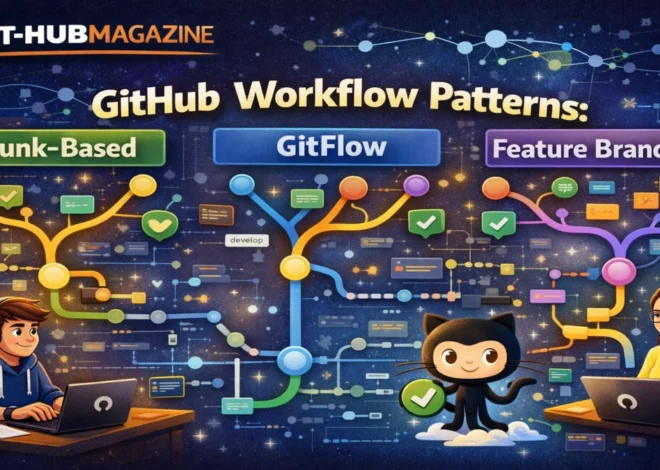
git-hub Security Guide: Permissions, Secrets, and Protecting Your Code
Every line of code placed on GitHub enters a public-facing ecosystem, even when the repository itself is private. It becomes part of a complex web of permissions, integrations, automated workflows, and human access patterns that determine whether that code remains safe or becomes a liability. The most damaging security incidents on GitHub are rarely caused by elite hackers breaking through fortified systems. They are more often caused by simple oversights: a leaked API key, an overly permissive token, a workflow with too much power, or a collaborator granted more access than necessary. – git-hub Security.
GitHub’s security model is built around a few quiet principles: least privilege, visibility, automation, and accountability. Permissions define who can act. Secrets define what can be accessed. Protections define what cannot be bypassed. Together, they form a social and technical contract between developers, teams, and the infrastructure that runs their work.
This article explores how that contract works in practice. It looks at how permissions are structured, how secrets are stored and rotated, how workflows are secured, and how monitoring and auditing reveal problems before they become disasters. It does not assume malice. It assumes fallibility. The purpose of GitHub security is not to distrust developers, but to protect them from the consequences of mistakes that are inevitable in fast-moving systems.
Understanding these mechanisms is no longer optional. As software becomes more interconnected and automated, the surface area for risk expands. Security on GitHub is not a feature you turn on. It is a posture you adopt. – git-hub Security.
Read: Using git-hub to Build a Developer Portfolio and Get Hired
Permissions as Architecture
Permissions are the foundation of GitHub security. They determine who can read, write, review, merge, delete, and administer repositories. Each permission level carries implicit trust, and each expansion of that trust increases potential risk.
The principle of least privilege is the guiding idea. Contributors should have only the access they need to do their work. Reviewers do not need administrative control. Automation does not need write access everywhere. External collaborators do not need visibility into internal projects.
This layered model prevents a single compromised account from becoming a catastrophic breach. If a developer’s credentials are stolen, the attacker inherits only the same limited access that developer had.
Permissions also shape behavior. When direct pushes to critical branches are blocked, teams naturally move toward review-based workflows. When administrative rights are rare, decisions become more deliberate. Security, in this sense, becomes cultural.
Branch Protection and the Integrity of Change
Branch protection rules enforce how change enters a system. They require pull requests, mandate reviews, and enforce automated checks before code is merged into important branches.
These rules serve two purposes. First, they prevent accidental or malicious changes from bypassing scrutiny. Second, they institutionalize quality. Over time, teams stop seeing reviews as friction and start seeing them as insurance.
Protected branches are particularly important in repositories that deploy automatically. A single unreviewed commit to a production branch can trigger a cascade of consequences. Branch protection slows that moment just enough for human judgment and automated testing to intervene. – git-hub Security.
Secrets as Invisible Infrastructure
Secrets are the credentials that connect code to the outside world: API keys, tokens, certificates, passwords. They are not part of the application logic, but without them the application cannot function.
Hard-coding secrets into repositories is one of the most common and dangerous mistakes developers make. Even in private repositories, secrets can be leaked through forks, logs, or compromised accounts.
GitHub’s secrets system exists to separate credentials from code. Secrets are encrypted, masked in logs, and injected only at runtime. This allows workflows to authenticate safely without exposing sensitive information.
Secrets should be treated as temporary, not permanent. They should be rotated regularly, scoped narrowly, and revoked immediately when exposure is suspected. A secret that never changes becomes a liability.
Secrets and Variables in Context
Not all configuration is sensitive. Distinguishing between secrets and ordinary variables prevents over-securing trivial data and under-securing critical data.
Variables can store environment names, feature flags, or non-sensitive settings. Secrets should store only what would cause harm if exposed.
This distinction simplifies governance. It clarifies what needs strict controls and what does not, allowing teams to focus security efforts where they matter most. – git-hub Security.
Workflow Security and Automation
GitHub Actions introduced a new layer of risk and opportunity. Automated workflows can build, test, deploy, and integrate code faster than humans ever could. They can also be exploited if misconfigured.
The default automation token that workflows receive must be carefully scoped. Giving workflows broad permissions turns automation into a potential attack vector.
Third-party Actions introduce supply chain risk. Pinning Actions to specific versions and limiting allowed sources reduces the chance that a compromised dependency injects malicious behavior into a pipeline.
Automation should be powerful, but not autonomous. It should operate within boundaries defined by human judgment.
Secrets Storage and Scope
| Storage Level | Intended Scope | Typical Use |
|---|---|---|
| Repository | Single project | Project-specific API keys |
| Environment | Deployment stage | Production credentials |
| Organization | Shared resources | Company-wide services |
Security Controls Overview
| Control | Function | Purpose |
|---|---|---|
| Two-factor authentication | Adds identity verification | Prevents account takeover |
| Branch protection | Enforces review and testing | Maintains integrity |
| Secret scanning | Detects exposed credentials | Prevents leaks |
| Audit logs | Records security-relevant events | Enables accountability |
Expert Reflections
“Security failures are rarely spectacular. They are quiet, incremental, and human.”
“The goal is not to eliminate risk but to distribute it so no single mistake becomes catastrophic.”
“Good security feels invisible because it is working in the background.”
Auditing and Continuous Awareness
Security does not end at configuration. It requires observation. Audit logs reveal who changed permissions, created secrets, or accessed sensitive resources. These logs provide accountability and early warning.
Dependency alerts reveal vulnerabilities in third-party code. Regular updates and reviews prevent known exploits from lingering unnoticed.
Monitoring is not paranoia. It is situational awareness.
Organizational Security as Culture
In large teams, security must become policy. Requiring two-factor authentication, standardizing branch protections, limiting administrators, and enforcing single sign-on create consistency.
This consistency reduces the cognitive burden on individual developers. They do not have to reinvent security for every repository. They inherit it.
Takeaways
- Apply least privilege to all users and automation
- Protect critical branches with enforced reviews and checks
- Store secrets outside code and rotate them regularly
- Scope secrets and tokens narrowly
- Pin and restrict third-party Actions
- Monitor audit logs and dependency alerts
- Treat security as an ongoing practice, not a one-time setup
Conclusion
GitHub security is not about locking things down. It is about designing systems that assume mistakes will happen and limit their impact when they do. Permissions, secrets, protections, and monitoring are not obstacles to productivity. They are the conditions that make sustainable collaboration possible.
As software becomes more automated and interconnected, the consequences of small errors grow larger. A forgotten token can open a door to an entire infrastructure. A misconfigured workflow can act faster than any human can respond.
By adopting thoughtful security practices, developers do more than protect code. They protect trust, continuity, and the invisible social fabric that allows large numbers of people to build things together safely.
FAQs
What is least privilege?
Granting users and systems only the access they need and no more.
Why not store secrets in code?
Because code can be copied, leaked, or exposed in ways secrets should never be.
Do small projects need security practices?
Yes. Small projects are often targeted because they are easier to exploit.
Are third-party Actions dangerous?
Not inherently, but they must be vetted, pinned, and limited.
How often should secrets be rotated?
Regularly, and immediately after any suspected exposure.
References
- GitHub security documentation
- Industry analyses of software supply chain attacks
- Guides on secrets management and least privilege security