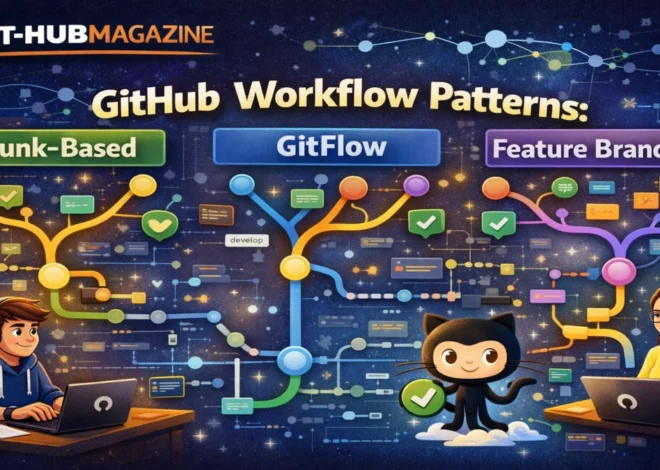
Advanced git-hub Guide: Actions, Automation, and CI/CD Pipelines
Introduction
Software no longer ships in moments of inspiration. It ships in systems. In the past decade, as applications grew more complex and release cycles accelerated, developers faced a paradox: how to move faster without sacrificing reliability. The answer increasingly lives inside automation, and more specifically, inside GitHub Actions. Within the first moments of encountering GitHub Actions, teams realize it is not just a tool for running tests. It is an operating system for software delivery, embedded directly where code already lives.
GitHub Actions allows developers to define automated workflows that respond to events like code pushes, pull requests, scheduled jobs, or manual triggers. These workflows quietly run behind the scenes, compiling code, running tests, scanning for vulnerabilities, packaging releases, and deploying applications across environments. For many teams, this automation has become invisible infrastructure: unnoticed when it works, indispensable when it fails.
The search intent behind “advanced GitHub Actions” is not about syntax. It is about control, scale, and confidence. Engineers want to understand how to design pipelines that survive growth, how to reuse workflows across dozens of repositories, and how to introduce governance without slowing teams down. This article explores those deeper layers. It moves beyond beginner tutorials and examines how GitHub Actions functions as a strategic CI/CD platform, how automation reshapes developer behavior, and why the most successful pipelines are as much about restraint as they are about speed.
Understanding GitHub Actions as a Platform
GitHub Actions is best understood not as a feature, but as a platform layered on top of version control. Introduced to unify automation within GitHub, it allows repositories to react to events with defined workflows. These workflows are written as YAML files and stored alongside application code, which turns automation into a first-class artifact rather than an external configuration.
This architectural decision matters. By colocating pipelines with code, GitHub Actions ensures that changes to automation evolve with the software itself. When a test framework changes, the pipeline changes in the same pull request. When deployment logic is updated, it is reviewed, versioned, and audited like any other code. This tight coupling eliminates an entire category of drift that plagued earlier CI/CD systems.
At scale, GitHub Actions becomes a coordination layer. It connects source code with cloud providers, container registries, artifact stores, security scanners, and notification systems. A single workflow can span from commit to production without leaving GitHub’s interface. For teams already using GitHub for collaboration, this reduces cognitive overhead and minimizes context switching, which in turn accelerates delivery without demanding new tools.
The Structure of a Workflow
Every GitHub Actions workflow is composed of three core elements: triggers, jobs, and steps. Triggers define when automation runs. Jobs define what runs and where. Steps define how tasks are executed. While this structure appears simple, its composability enables remarkably sophisticated pipelines.
Triggers can be narrow or expansive. A workflow might run on every push to a branch, only when files in a specific directory change, or on a nightly schedule. Jobs can run in parallel or sequence, depending on dependencies. Steps can call shell commands, use reusable actions from the marketplace, or invoke custom scripts.
The power of this model lies in its explicitness. Nothing happens implicitly. Every action is declared, visible, and reproducible. Over time, experienced teams learn to treat workflow files as architectural documents. They describe not only how software is built, but how quality is enforced, how releases are controlled, and how failures are handled.
From Continuous Integration to Continuous Delivery
At its most basic level, GitHub Actions supports continuous integration: automatically building and testing code whenever it changes. But advanced usage extends far beyond that baseline. Continuous delivery introduces packaging, versioning, and deployment into the same automated flow.
In mature pipelines, a single pull request may trigger unit tests, integration tests, static analysis, and dependency checks. A merge to the main branch may automatically produce a versioned artifact, publish it to a registry, and deploy it to a staging environment. Production deployment may require approvals, additional checks, or scheduled windows.
This progression reflects a broader shift in engineering culture. CI/CD is no longer about speed alone. It is about creating reliable feedback loops. Automation tells developers quickly whether changes are safe, whether dependencies introduce risk, and whether deployments succeed. The pipeline becomes a conversation between humans and machines, mediated through code.
Comparing CI/CD Approaches
| Dimension | GitHub Actions | External CI/CD Platforms |
|---|---|---|
| Configuration | Workflow-as-code in repository | Often external configuration |
| Integration | Native to GitHub | Requires webhooks |
| Visibility | Pull request and commit context | Separate dashboards |
| Extensibility | Marketplace actions | Plugins or scripts |
| Maintenance | Minimal infrastructure | Often requires servers |
The comparison highlights why GitHub Actions gained traction quickly. By eliminating external orchestration layers, it simplified CI/CD adoption. However, simplicity does not mean limitation. Advanced features allow teams to replicate and surpass traditional pipelines when designed carefully.
Matrix Builds and Parallel Execution
One of the most transformative features of GitHub Actions is matrix builds. A matrix allows the same job to run across multiple combinations of variables, such as operating systems, language versions, or configurations. Instead of duplicating jobs, teams define a matrix once and let the system expand it automatically.
For example, a library might be tested across multiple versions of a programming language on different platforms. With a matrix, these tests run in parallel, reducing feedback time while increasing coverage. The result is confidence without delay.
Parallelism extends beyond matrices. Independent jobs can run simultaneously, while dependent jobs wait for prerequisites to complete. When used intentionally, this structure optimizes both speed and resource usage. When overused, it can obscure logic. Advanced practitioners learn to balance parallel execution with readability, treating clarity as a performance feature.
Reusable Workflows and Organizational Consistency
As organizations grow, the challenge shifts from building pipelines to maintaining them. Dozens or hundreds of repositories cannot each reinvent CI/CD logic. GitHub Actions addresses this with reusable workflows and composite actions.
Reusable workflows allow one repository to define a standard pipeline that others can invoke. Composite actions bundle multiple steps into a single reusable unit. Together, they enable platform teams to encode best practices once and distribute them widely.
This model introduces governance without centralization. Individual teams still control when and how automation runs, but shared components ensure consistency in security checks, testing standards, and deployment procedures. Over time, automation becomes institutional knowledge, captured in code rather than tribal memory.
Self-Hosted Runners and Control
While GitHub provides hosted runners for common environments, advanced use cases often require more control. Self-hosted runners allow organizations to run workflows on their own infrastructure. This can be essential for compliance, access to private networks, or specialized hardware.
Self-hosting introduces responsibility. Teams must manage runner availability, security, and scaling. But it also unlocks flexibility. Pipelines can interact with internal systems, use proprietary tools, or operate in restricted environments. For regulated industries, this capability is often the deciding factor in adopting GitHub Actions.
Security and Trust in Automation
Automation amplifies both good and bad decisions. A flawed workflow can deploy vulnerabilities just as efficiently as it deploys fixes. As pipelines become more powerful, security becomes inseparable from CI/CD design.
GitHub Actions provides mechanisms to manage this risk. Secrets are encrypted and scoped. Environments can require approvals. Permissions can be restricted at the workflow or job level. Advanced teams treat these features not as optional safeguards, but as architectural constraints.
Security scanning is increasingly integrated directly into pipelines. Dependency checks, static analysis, and policy enforcement run automatically, turning security into a continuous process rather than a periodic audit. This shift reflects a broader industry trend: trust is built through automation, not manual gates.
Expert Perspectives on Modern CI/CD
“The most effective pipelines are boring,” says one senior DevOps engineer at a global SaaS company. “They do the same thing every time, and that’s the point.”
A platform engineering lead at a large open-source foundation echoes this sentiment. “When automation is visible and versioned, it becomes a shared language. Teams stop arguing about process and start improving it.”
A cloud infrastructure architect adds another dimension. “GitHub Actions lowered the barrier to entry for CI/CD, but mastery still requires discipline. The YAML is easy. The design is not.”
These insights converge on a single truth: automation succeeds when it is treated as product design, not plumbing.
Operational Patterns That Scale
| Pattern | Purpose | Outcome |
|---|---|---|
| Trunk-based workflows | Reduce merge complexity | Faster feedback |
| Environment approvals | Control deployments | Reduced risk |
| Artifact versioning | Traceability | Easier rollbacks |
| Caching dependencies | Performance | Shorter pipelines |
Patterns like these emerge organically in successful organizations. They are rarely adopted all at once. Instead, they evolve through iteration, failure, and refinement.
Automation as Organizational Memory
One of the least discussed benefits of GitHub Actions is its role as institutional memory. When workflows encode how software is built and deployed, knowledge survives team changes. New engineers learn by reading pipelines. Auditors understand processes by inspecting code.
This durability matters. As teams scale and turnover occurs, undocumented processes decay. Automation resists that decay. It makes expectations explicit and repeatable. Over time, pipelines become narratives: stories about how an organization values quality, speed, and reliability.
Takeaways
- GitHub Actions integrates automation directly into the code collaboration process
- Workflow-as-code improves transparency and long-term maintainability
- Advanced CI/CD focuses on feedback loops, not just speed
- Reusable workflows enable consistency without central bottlenecks
- Security must be designed into pipelines, not added later
- Self-hosted runners provide control for specialized needs
- Mature automation reflects organizational values as much as technical choices
Conclusion
GitHub Actions represents a quiet but profound shift in how software is delivered. By embedding automation directly into repositories, it collapses the distance between writing code and running it in the real world. For beginners, it offers a gentle entry into CI/CD. For advanced teams, it becomes a canvas for architectural discipline.
The most effective pipelines are not the most complex. They are the ones that teams trust. Trust is built through clarity, consistency, and restraint. GitHub Actions provides the tools, but responsibility remains with the people who design the workflows.
As software continues to shape nearly every industry, automation will only grow more central. The question is no longer whether to automate, but how thoughtfully it is done. In that sense, GitHub Actions is less about actions and more about intent: a reflection of how teams choose to build, ship, and stand behind their code.
FAQs
What is GitHub Actions used for?
GitHub Actions is used to automate workflows such as testing, building, releasing, and deploying code in response to repository events.
Is GitHub Actions only for CI/CD?
No. While commonly used for CI/CD, GitHub Actions can automate tasks like issue triage, notifications, and scheduled maintenance jobs.
How do reusable workflows help teams?
Reusable workflows allow teams to standardize automation across repositories while reducing duplication and maintenance overhead.
Are GitHub Actions secure?
Yes, when configured properly. GitHub Actions supports encrypted secrets, permission scoping, and environment protections to reduce risk.
Can large enterprises rely on GitHub Actions?
Yes. Many large organizations use GitHub Actions with self-hosted runners, governance controls, and reusable workflows to support scale.